Pet Fashion Stylist
 Pet Fashion Stylist
Pet Fashion Stylist
Pet Fashion Stylist is a four-part salon: care for a cat or dog, find fourteen room items, build an outfit, then pick the photo setup and final shot.
Pet Fashion Stylist: how to play
Start the four-step salon path with the cat or dog
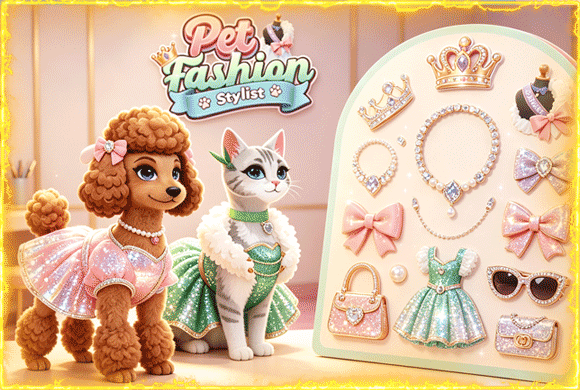
The landscape title screen opens with the two dressed pets and a pink Play button. The next stage puts the cat and dog on separate podiums; choose one to begin its salon progress.
Four icons along the bottom are care, tidy, dress and photo. The first icon is open at the start. Later steps unlock after you finish the current one.
Finish each highlighted grooming action
Care is a string of close-up jobs, not one long bath. The cat path moves from soap and water to claw trimming and tooth brushing. The current tool sits beside the area that needs work.
Finish the action on screen before looking for another tool. Watch the small progress bar more than quick taps: keep the soap on the pet, line the clipper up with the claw, and brush across the marked teeth.
Find all fourteen objects in the salon room
Tidy turns into a hidden-object room. The bar at the top starts at Found 0/14, and the tray below shows the objects still left to find.
Tap only a pictured object, then use the empty tray slot to narrow the search. At 11/14 the tray is almost empty, so the last three shapes are easier to match against the shelves and floor.
Build the outfit category by category
The dressing screen puts clothing categories in a blue strip and the matching choices in the left panel. Go through body style, dress and accessories, then tap the green check when the look is ready.
Some choices carry a video badge. Those are optional ad-locked pieces. A locked dress does not block the step — pick an open item in the same category and keep going.
Decorate the scene, then choose the strongest shot
Photo first asks for a decoration. Tap one of the props beside the pet to build the scene, then continue into the pose and camera sequence.
At the end, three framed photos show different ratings. Compare all three before you keep one. On this screen they read 7.5, 8 and 5.5, so the middle shot is the strongest of the set.
Use achievements and pet progress to choose the next run
Achievements list care jobs such as Bubble Bath, Feline Fluff and Claw Clipper. The podium screen shows progress for each pet and keeps the four workflow icons visible.
Check those pages between salon runs. They show which pet has moved forward without interrupting a care or hidden-object task.
The four-step route at a glance
| Step | Goal | Screen cue |
|---|---|---|
| Care | Finish the current grooming action | Close-up pet, one active tool and progress bar |
| Tidy | Find fourteen listed objects | FOUND counter and item tray |
| Dress | Pick clothes and accessories | Category strip, option panel and green check |
| Photo | Decorate, pose and choose a shot | Scene props followed by three rated photos |
Each step changes how you play, so follow the numbered icons instead of guessing what the next room will do.
Where players can get stuck
- The first load can take a while. Give the landscape scene time to appear before refreshing.
- In care, keep the selected tool on the highlighted body area until the meter fills. Switching actions early only stretches the sequence.
- In tidy, match tray silhouettes with the room. Tapping random shelf decorations is slower than clearing one listed shape at a time.
- Video-badge clothes are optional. An unlocked choice in the same category is enough to finish the dress step.
- Do not take the first photo automatically. The final frames have different scores, and the 8-point middle shot is the strongest of those three.
The full care-to-photo chain is slow on purpose. Grooming, hidden objects and styling sit on different screens, so the run has more variety than a single dress-up page.