Pet Salon
 Pet Salon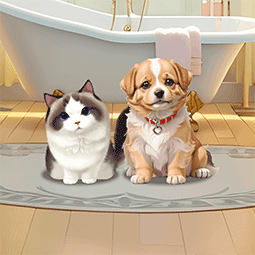
Pet Salon
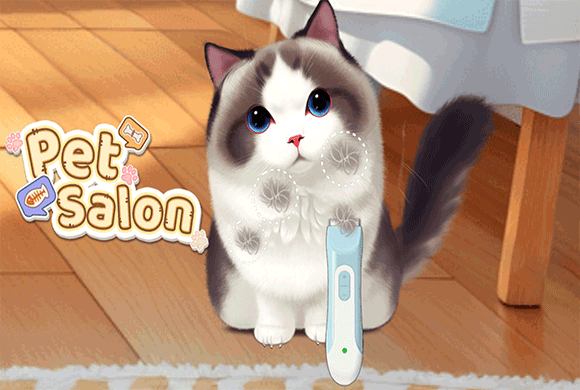
Pet Salon moves through short grooming and care jobs one at a time: change a cat's eye color, wash a dog, then check a cat's temperature by Day 3.
Pet Salon: how to play
Begin from the cat-and-dog salon room
The title screen puts the cat and dog together in the salon. Tap Start. Each day then gives one focused care job, not an open room full of tools.
The current day sits at the top of the task screen. Small circles beside it show which parts of that day's job are finished.
Choose the cat's eye color and compare the change
Day 1 shows three eye-color choices below the cat. Tap a lens to apply it. One eye can turn a warm gold while the other stays blue.
The Complete screen has Before and After tabs. Switch between them before pressing Next if you want to see exactly what the task changed.
Use the bath tools until the dog is clean
The wash sequence gives one tool at a time. Use the pump bottle with the green sponge, then work over the dog in the bathtub while the task meter fills.
Stay on the pet rather than dragging around the background. When the wash is accepted, the clean dog returns to the room and the pink camera button is the next action.
Follow the highlighted care tool for the next pet
By Day 3 the cat returns with a thermometer at its side. The small highlighted progress circle is the current check. Later circles stay gray.
The tool and pet change between tasks, but the rhythm stays the same: use the item on screen, fill the task progress, then go to the next care job.
How the salon days work
Pet Salon does not dump every grooming tool on you at once. Each day breaks care into small guided jobs: eye styling, washing, temperature checks and the next highlighted tool. Finish the action on screen and wait for the completion state before trying the next item.
A better way to read the screen
- Day number at the top: which task set you are on.
- Colored circle with a check: a finished part of that day.
- Highlighted circle: the action in progress.
- Gray circles: later care actions, not missing buttons.
- Camera button: the current pet is clean or styled and ready for its result.
Small mistakes to avoid
Dragging a bath tool over empty background does not help. Keep it on the pet and watch the progress indicator. On a Complete screen, use Before and After before pressing Next — that comparison is the payoff for the short task. This page covers the opening through the Day 3 temperature check.